

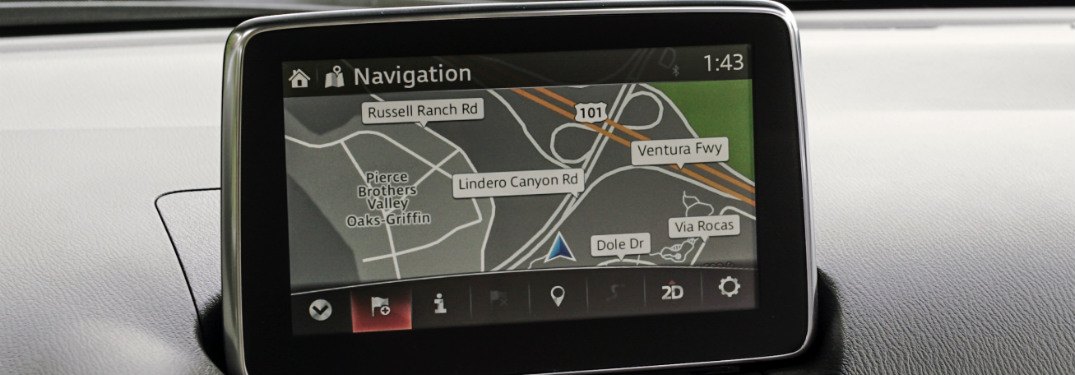
Nissan navigation SD cards are dedicated map‑update cards for built‑in Nissan sat nav systems, designed to keep route‑calculation, points of interest (POIs), and traffic‑support data accurate across Europe, North America, and other regions. Owners of Nissan vehicles equipped with Connect 1, Connect 2, or Connect 3 factory‑fitted navigation can install these SD‑based map updates directly into the vehicle’s head unit, without connecting to a PC or laptop, to refresh top‑level route data and address‑matching information.
In This Article:
Why Nissan SD navigation cards matter
Modern Nissan models with factory‑installed navigation rely on map data stored on an internal SD card or a removable SD‑type module rather than online streaming; outdated maps can cause wrong‑turn indications, missing new roads, or incorrect speed‑camera locations. A current Nissan SD navigation card updates road geometry, one‑way‑street directions, roundabout exit logic, and updated POI databases, which improves average trip‑time estimates and reduces the need for real‑time phone‑based routing.
On many Nissan Connect‑based systems, the SD card also carries voice‑prompt data, junction‑view images, and sometimes traffic‑overlay information, so installing a fresh map card affects both optical guidance and spoken instructions. This is especially valuable for drivers who frequently travel outside their home region and need reliable coverage of secondary and tertiary roads that are often badly mapped in phone‑based apps.
How the Nissan SD map‑update process works
Nissan SD card map updates are typically ordered as pre‑loaded cards (not blank SD cards) with a specific map version tied to a part number, such as “KE288‑LCN2EV6” for a 2023‑dated Europe‑region Connect 2 v6 card. The user removes the existing navigation SD card from the vehicle head unit (often accessed via a slot near or behind the lower‑dash screen), inserts the new Nissan SD navigation card into the same slot, and then allows the system to detect and initialize the updated map data.
Once the new card is recognized, the system recalibrates the route‑calculation engine to use the updated map while keeping vehicle‑specific settings (such as favorites, recently used destinations, and saved routes) intact. In some models, the process may prompt a brief recalibration of the map‑display orientation or compass calibration, but no additional computer‑based software tools are required for basic map‑update installation.
Regions and coverage of Nissan SD navigation cards
Nissan SD navigation cards are region‑locked: a map‑update for Europe (e.g., 2023‑ or 2024‑dated coverage) cannot be used on a vehicle originally sold with a North‑America‑region navigation system, and vice versa. For example, Nissan’s own map‑update portal separates “NissanNA” (North America) SD cards from “NissanEMEA” cards, with each covering specific countries and with different update‑schedules.
European‑region Nissan SD navigation cards often include all 24–30 Western European countries plus significant portions of Eastern Europe, depending on the map‑version year and the specific part number. Maps for North America typically cover the United States and Canada, with detailed interstate, highway, and main‑road networks plus city‑center data for major metropolitan areas.
Compatibility with Nissan models and navigation generations
Nissan SD navigation cards are tied to navigation hardware generations (often referred to as “Generation 1”, “Generation 2”, and “Connect 2/Connect 3”) rather than body‑style alone, so the same physical card may fit several Nissan models from different years. For example, Connect 2‑based SD cards can support variants of the Nissan Qashqai (J10/J11), X‑Trail (T31/T32), Juke (F15), and Note, provided the vehicle’s factory‑installed navigation system matches the exact SD‑card part number.
Connect 3‑generation SD cards, such as 16 GB variants for Connect 3 V7, are designed for later‑model Nissan vehicles and can replace original‑equipment map cards in models like the 2015 Nissan Micra K13 without requiring firmware changes on the car’s head unit. Because compatibility depends on the in‑car navigation unit’s model and firmware level, ordering the correct Nissan SD navigation card often requires checking the original map‑card part number printed on the old SD card or the vehicle registration details.
Where to find genuine Nissan SD navigation cards
Large‑scale navigation SD card retailers, including specialized online stores, list dedicated Nissan SD navigation cards by part number, map year, and region, and often stock multiple versions for different Nissan Connect generations. One such section that groups all Nissan‑specific navigation SD cards (including Connect 1/2/3 variants and region‑specific options) can be found on the dedicated Nissan navigation SD‑card page at https://navi-world.com/product-category/navigation_sd_card/nissan_navigation-sd-card/, where each product entry lists the exact part number, map‑release year, and supported Nissan models.
From this category page, buyers can filter by map‑region (Europe, North America, etc.), map‑year (2021, 2023, 2024, and later), and navigation‑generation (Connect 1, 2, or 3) to select the correct Nissan SD navigation card without needing to guess compatibility. Retailers that list these cards usually also provide compatibility notes that reference specific Nissan chassis codes and model years, helping owners cross‑check before purchase.
Benefits of using a ready‑loaded Nissan SD navigation card
Ready‑loaded Nissan SD navigation cards are formatted and written with the correct file structure and map version, so the vehicle’s navigation unit recognizes them immediately without requiring formatting or manual file copying. This avoids the risk of using an incorrectly formatted SD card or one that lacks the necessary index files, which can lead to the system refusing to accept the card or displaying “no SD card” or “invalid map card” messages.
Because the card is pre‑loaded, the time from opening the package to completing the map‑update in‑car is typically under 10–15 minutes, consisting mainly of physically swapping the card and allowing the system to finish any internal initialization. For fleets or drivers who use multiple Nissan vehicles, ordering several identical Nissan SD navigation cards (same part number and map year) ensures consistent map data and route‑logic behavior across all units.
Common signs that your Nissan needs a new SD navigation card
Owners may notice that the navigation system frequently suggests outdated routes, such as sending them along closed roads, temporary bypasses that have been removed, or through roundabouts that were rebuilt. The map may also fail to recognize new shopping centers, fuel‑station locations, or highway interchanges constructed in the last few years, even though phone‑based navigation apps show them correctly.
Another sign is that the Nissan SD navigation card slot reports “no SD card” or cannot read the map, even though the card is inserted correctly; this can indicate either a corrupted map image on the existing card or a hardware‑level failure of the SD memory itself. In such cases, replacing the entire Nissan SD navigation card with a fresh, compatible one is usually more reliable than attempting data‑recovery or re‑formatting the original card.
Keeping your Nissan navigation up to date long‑term
Nissan periodically releases new map‑update cycles for supported navigation systems, typically on an annual or biennial basis, with some older generations reaching an end‑of‑support date after which no further SD‑card updates are issued. Owners who want to keep their factory‑installed navigation accurate should check the current map‑version on their SD card and compare it with the latest available version for their region and navigation generation.
If the latest map cycle is only available via a newer SD card (rather than an over‑the‑air update), the owner installs the new card in the head unit and then continues to use the same procedure for future updates, replacing the SD card rather than trying to patch the existing map data. For drivers who frequently tour across borders or regions, purchasing Nissan SD navigation cards with broad regional coverage (e.g., full Europe or full North America) and installing them proactively before major trips helps avoid mid‑journey route‑calculation errors.
Practical tips before buying a Nissan SD navigation card
Before ordering a Nissan SD navigation card, owners should note the exact part number printed on the back of the original map card or in the vehicle’s navigation‑settings menu, as this number ties the card to a specific map version and navigation generation. If the original card is missing or illegible, taking a clear photo of the navigation unit and the vehicle’s VIN or registration details can help retailers identify the correct replacement card from tables that list supported Nissan models by year and chassis code.
Owners should also verify whether their vehicle’s navigation system is region‑locked to Europe, North America, or another market, because installing a card from a different region can cause the system to refuse recognition or display incomplete map data. Once the correct part number and region are confirmed, the best option is to install the new Nissan SD navigation card according to the slot‑location instructions in the vehicle’s manual or on the head‑unit screen, ensuring the card is fully seated and oriented correctly (with the gold‑contact side facing the specified direction).
Summary of Nissan SD navigation card use
Nissan SD navigation cards act as the primary map‑storage medium for many factory‑fitted Nissan navigation systems, controlling how routes are calculated, where POIs are displayed, and how traffic‑related guidance is handled. Using the correct, region‑specific card with the latest available map version ensures that the vehicle’s built‑in navigation remains accurate without relying on smartphone‑based apps, which can be beneficial in areas with poor mobile coverage or where in‑car‑only navigation is preferred for safety.
For owners looking to purchase a compatible Nissan SD navigation card, the category page at https://navi-world.com/product-category/navigation_sd_card/nissan_navigation-sd-card/ provides a centralized view of all Nissan‑specific SD cards, including map‑year, part number, and supported model ranges, so buyers can match the card precisely to their vehicle’s navigation hardware and region.